> ## Documentation Index
> Fetch the complete documentation index at: https://docs.fortepayments.io/llms.txt
> Use this file to discover all available pages before exploring further.
# Pay with Card
> End-to-end widget flow for a Virtual Digital Good purchase using a credit or debit card.
## Flow / Screen Examples
This scenario assumes the user chooses to pay with a credit or debit card.
***
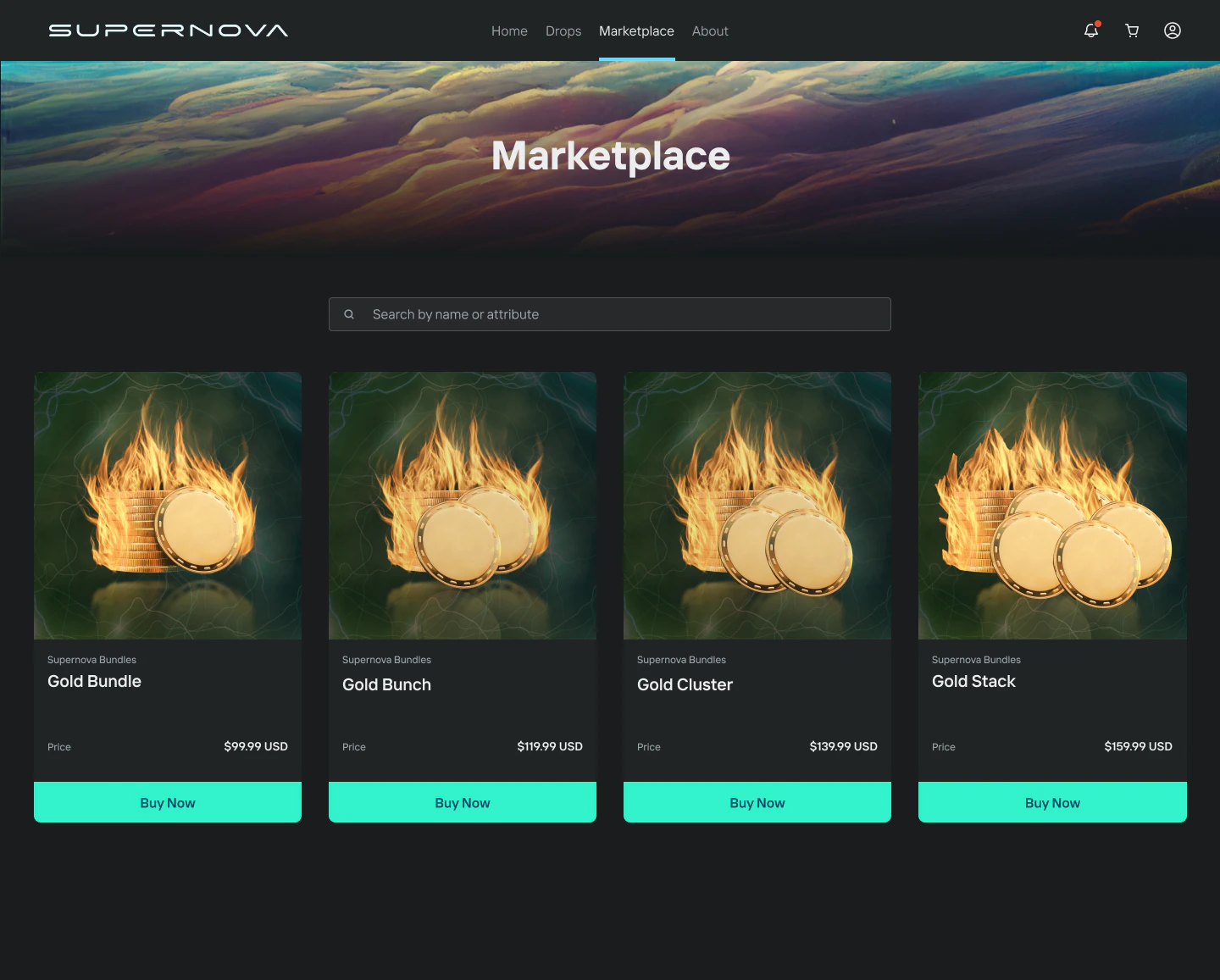
**Marketplace / Game**
The user views items for sale in the marketplace or game. Clicking to purchase opens the Forte Payments widget.
 ***
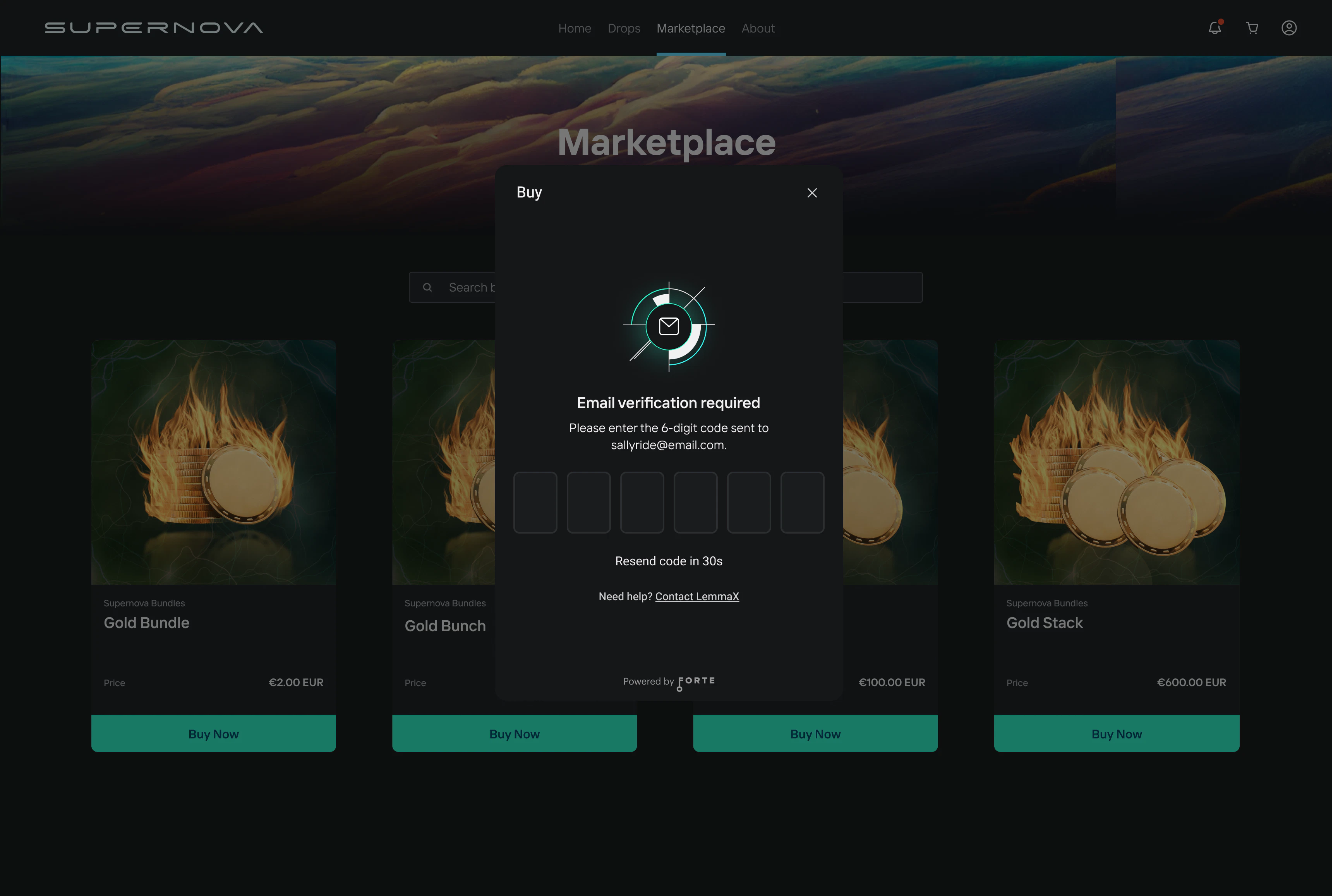
**Screen 1 — Email Verification**
The user is presented with an email verification screen. They must verify that they own the email address associated with their marketplace or game account.
If `email` is not passed in the payment intent request (and `wallet` is passed instead), the user will be prompted to enter and verify their email on their first payment. That email is then linked for all future sessions.
***
**Screen 1 — Email Verification**
The user is presented with an email verification screen. They must verify that they own the email address associated with their marketplace or game account.
If `email` is not passed in the payment intent request (and `wallet` is passed instead), the user will be prompted to enter and verify their email on their first payment. That email is then linked for all future sessions.
 ***
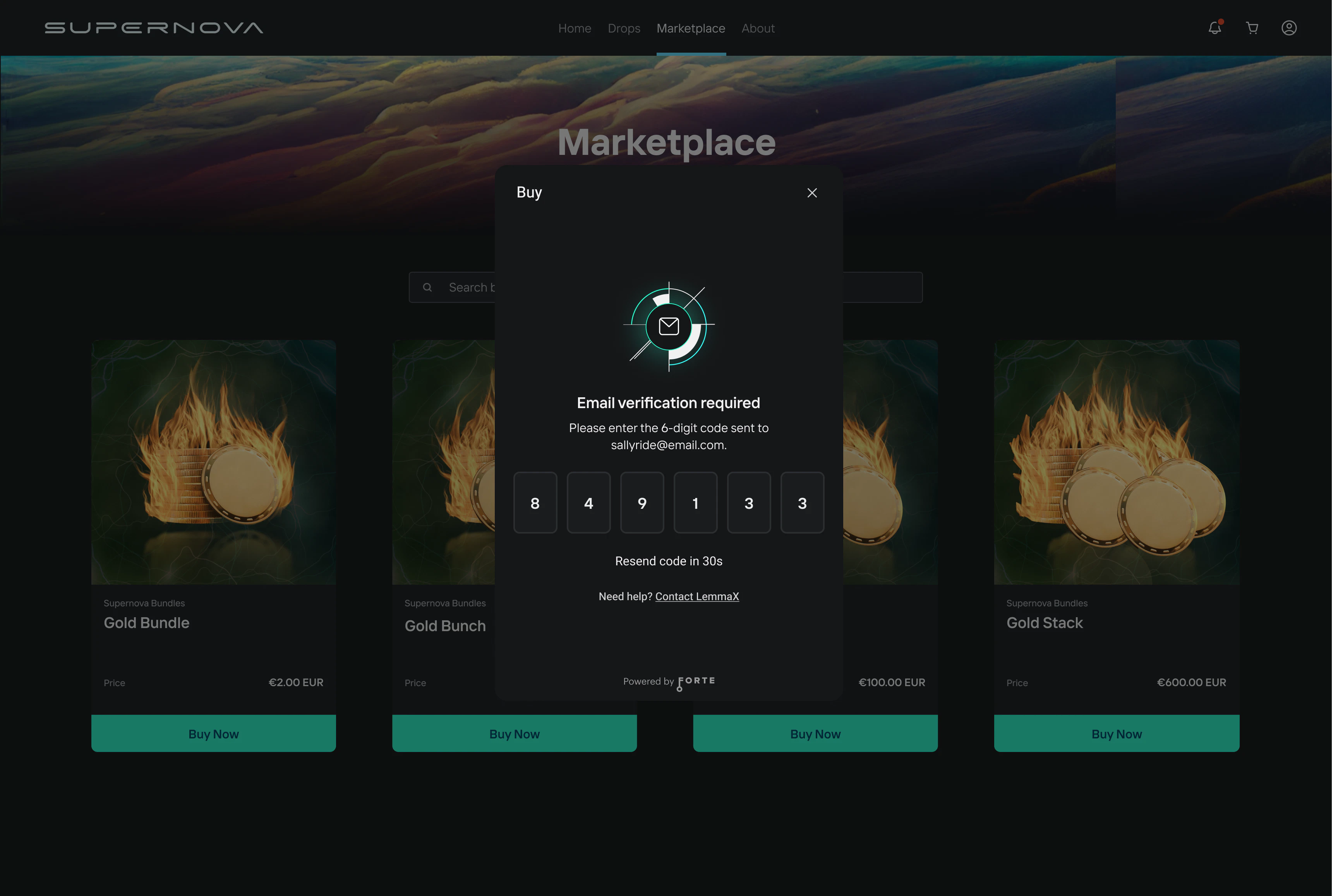
**Screen 2 — OTP Entry**
The user enters the verification code sent to their email to complete email verification.
***
**Screen 2 — OTP Entry**
The user enters the verification code sent to their email to complete email verification.
 ***
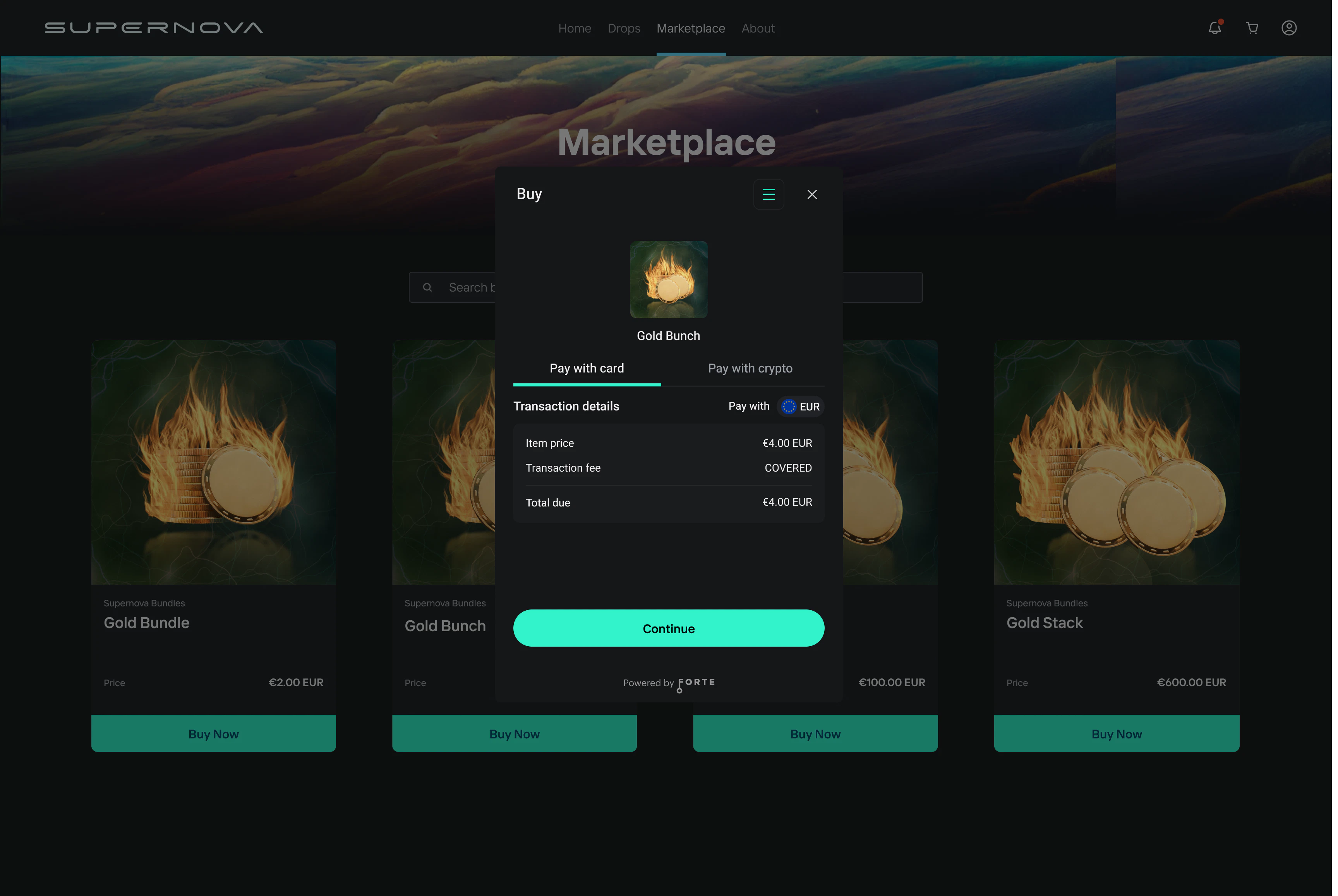
**Screen 3 — Purchase Summary**
The user is presented with a purchase summary showing transaction details. They select **Pay with card** to continue.
***
**Screen 3 — Purchase Summary**
The user is presented with a purchase summary showing transaction details. They select **Pay with card** to continue.
 ***
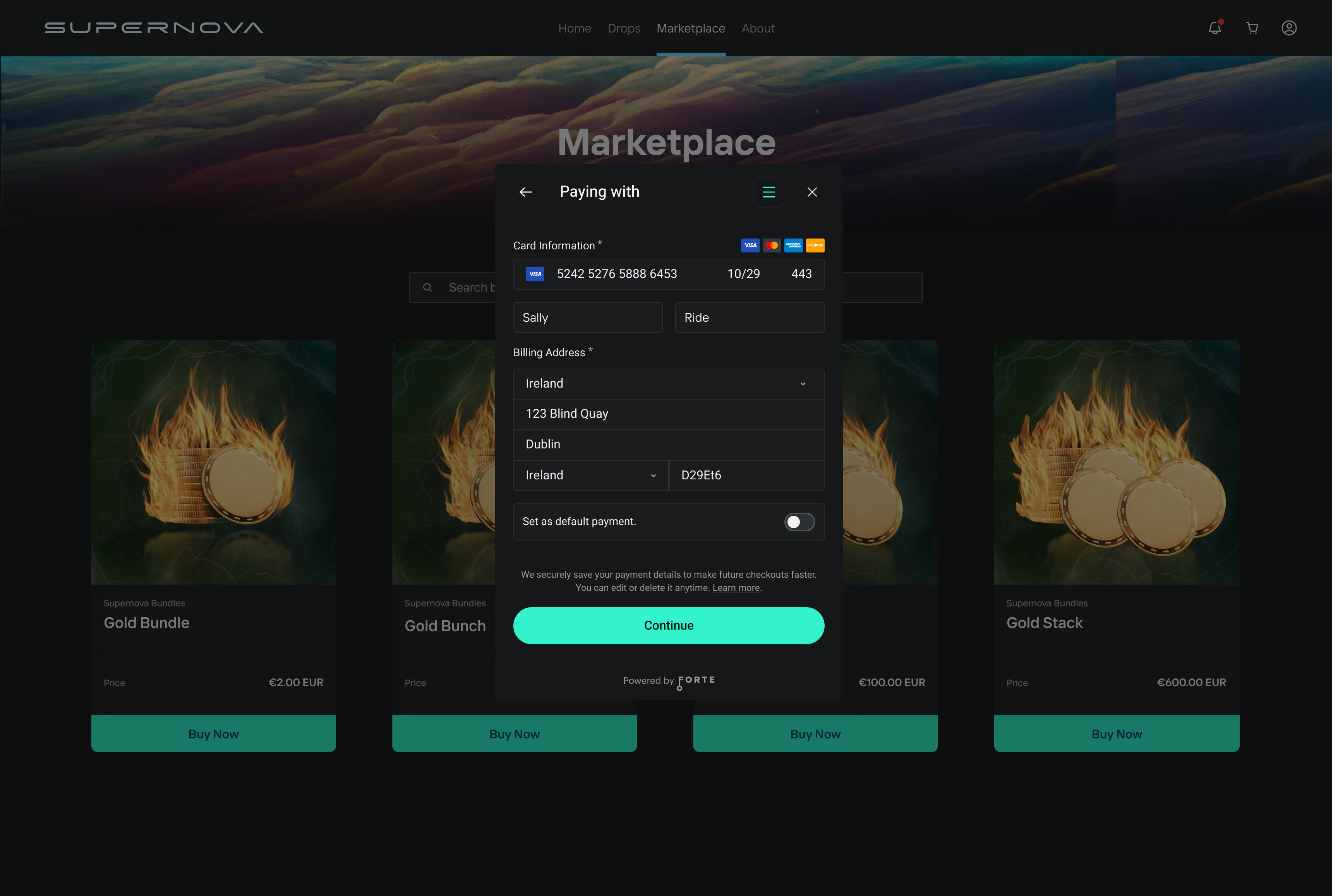
**Screen 4 — Card Entry**
The user enters their credit or debit card details and billing information, then clicks **Continue**.
***
**Screen 4 — Card Entry**
The user enters their credit or debit card details and billing information, then clicks **Continue**.
 ***
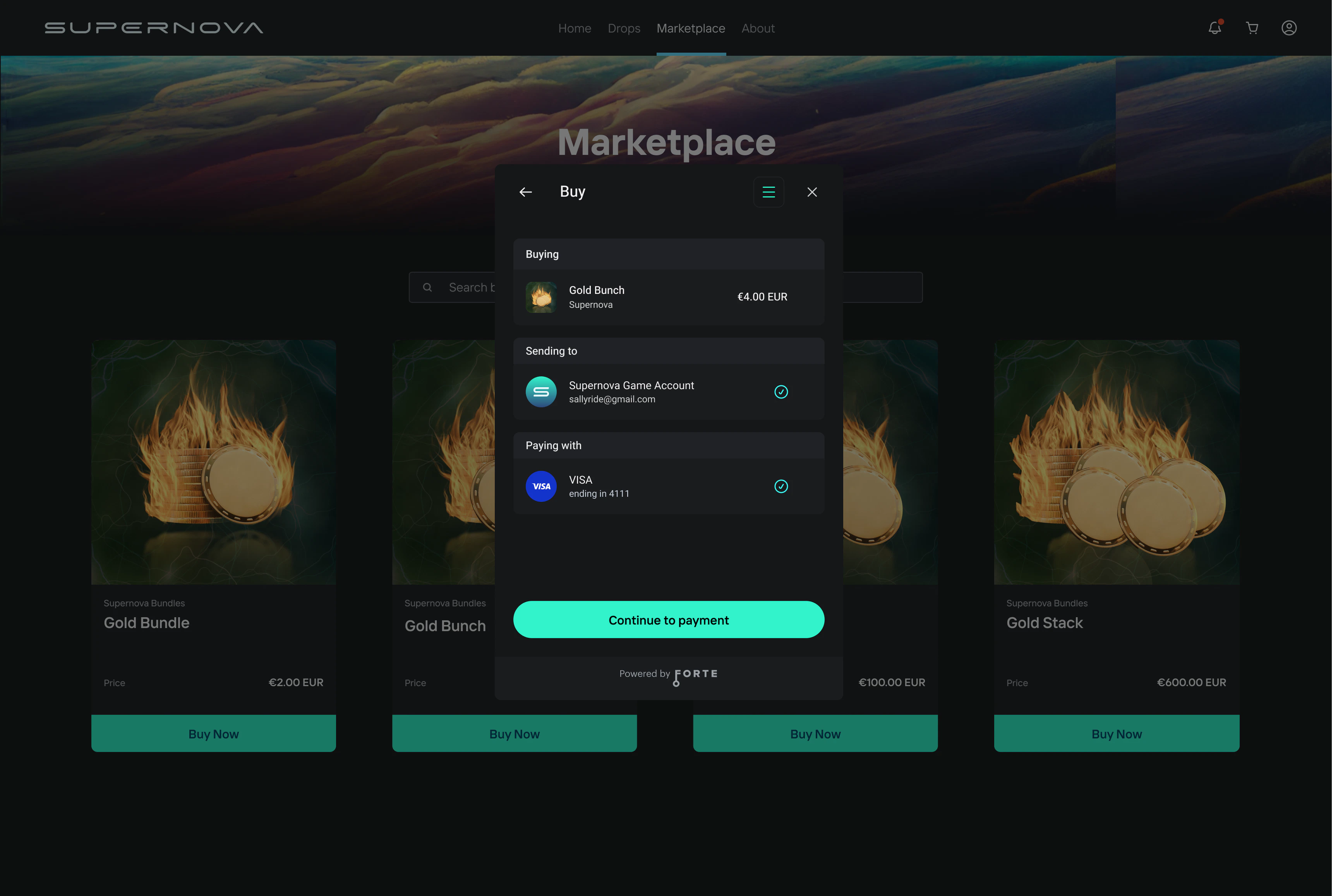
**Screen 5 — Transaction Review**
The user sees a complete breakdown of the transaction before confirming:
* **Buying** — the item being purchased
* **Sending to** — the destination account receiving the asset
* **Paying with** — the selected payment method
The user can click **Paying with** to switch to a different card before confirming.
***
**Screen 5 — Transaction Review**
The user sees a complete breakdown of the transaction before confirming:
* **Buying** — the item being purchased
* **Sending to** — the destination account receiving the asset
* **Paying with** — the selected payment method
The user can click **Paying with** to switch to a different card before confirming.
 ***
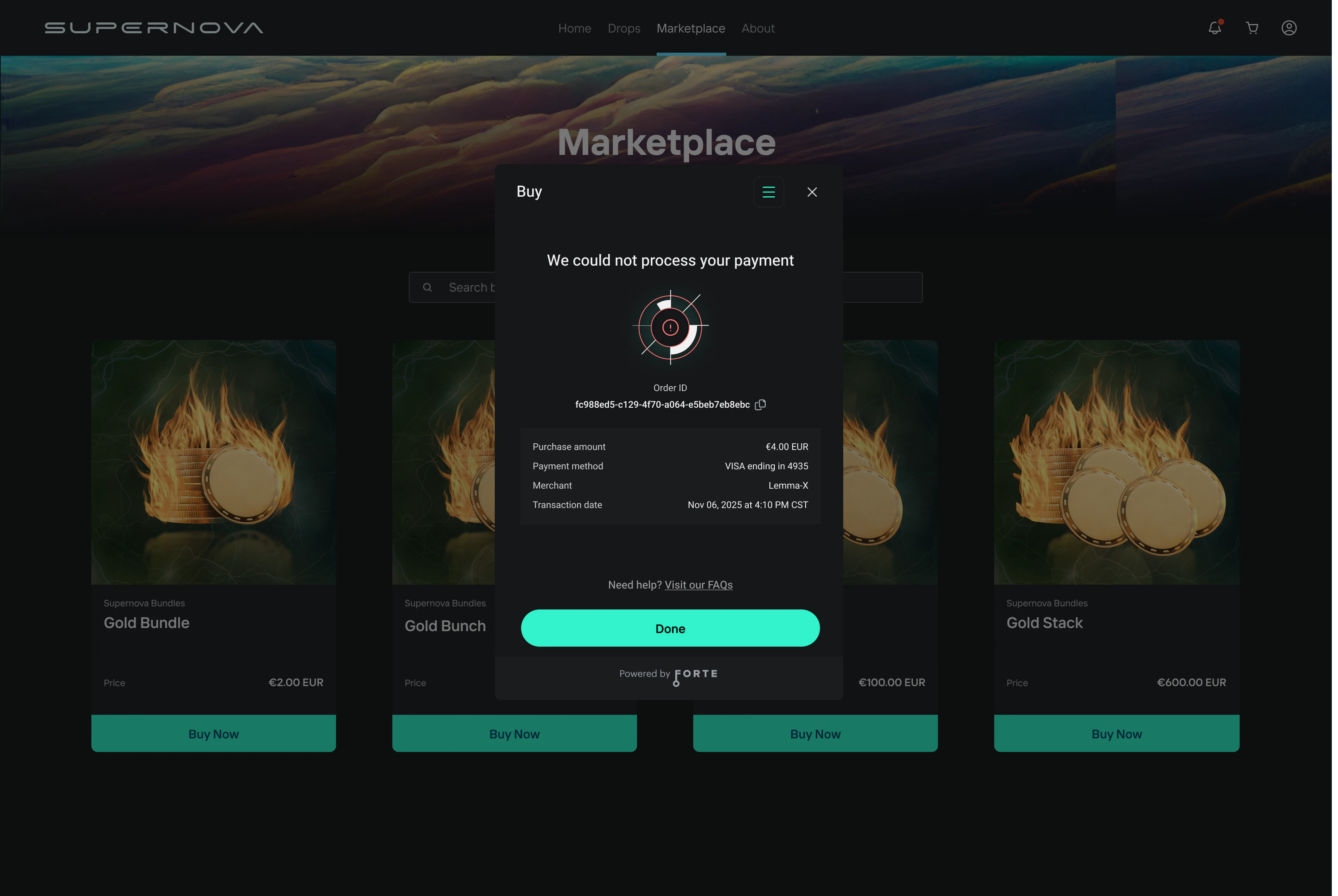
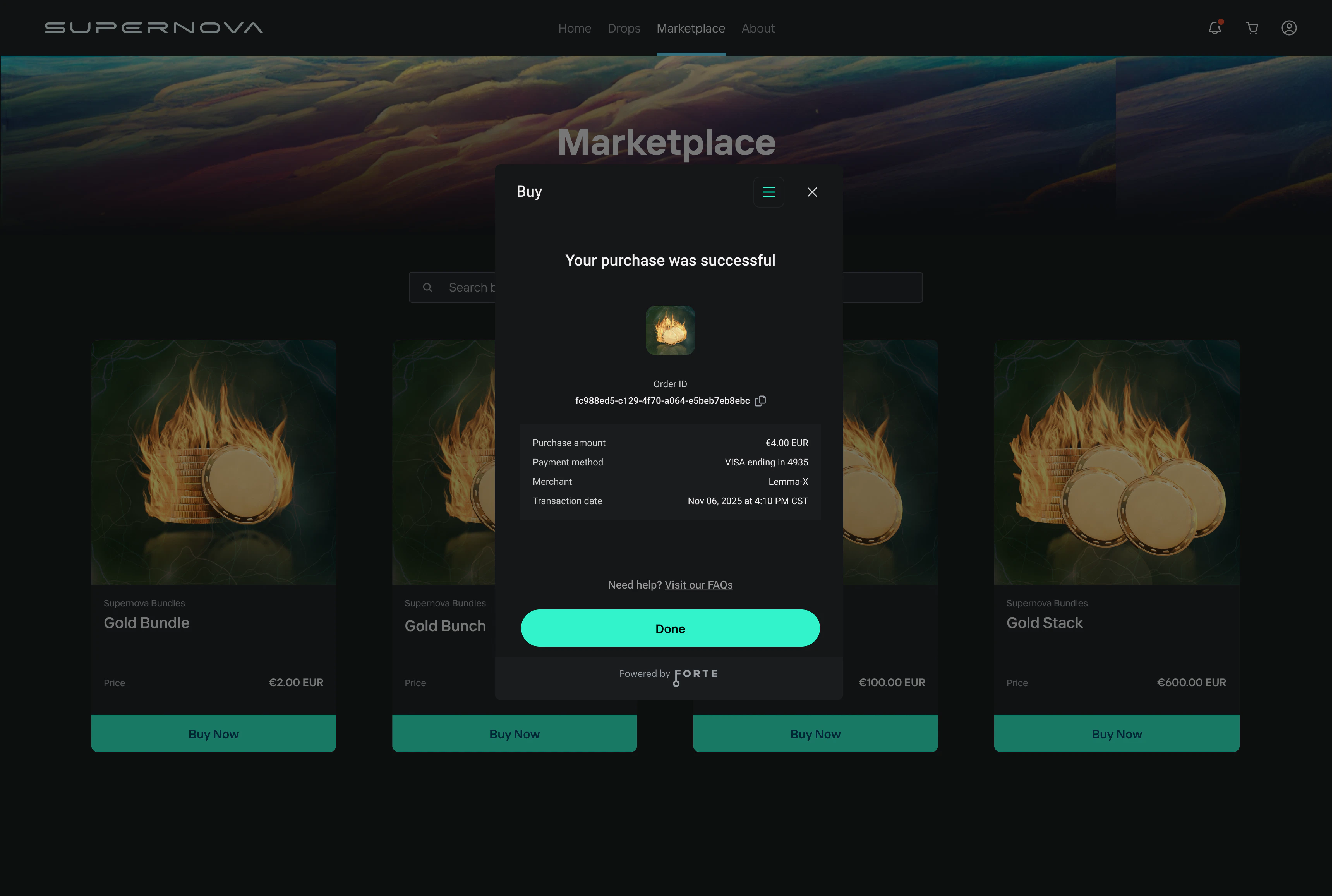
**Screen 6 — Confirmation**
Once the payment is processed, the user sees a confirmation screen. The user also receives an email receipt.
**Success** — Payment processed. The user is shown a success message and Order ID.
***
**Screen 6 — Confirmation**
Once the payment is processed, the user sees a confirmation screen. The user also receives an email receipt.
**Success** — Payment processed. The user is shown a success message and Order ID.
 **Failure** — Payment could not be processed. The user is shown a failure message.